
Prompt History
Jedify keeps a complete record of every prompt you’ve run, allowing you to revisit previous threads, review past responses, and pick up the analysis right where you left off.
You can access your history from the menu, as shown below.
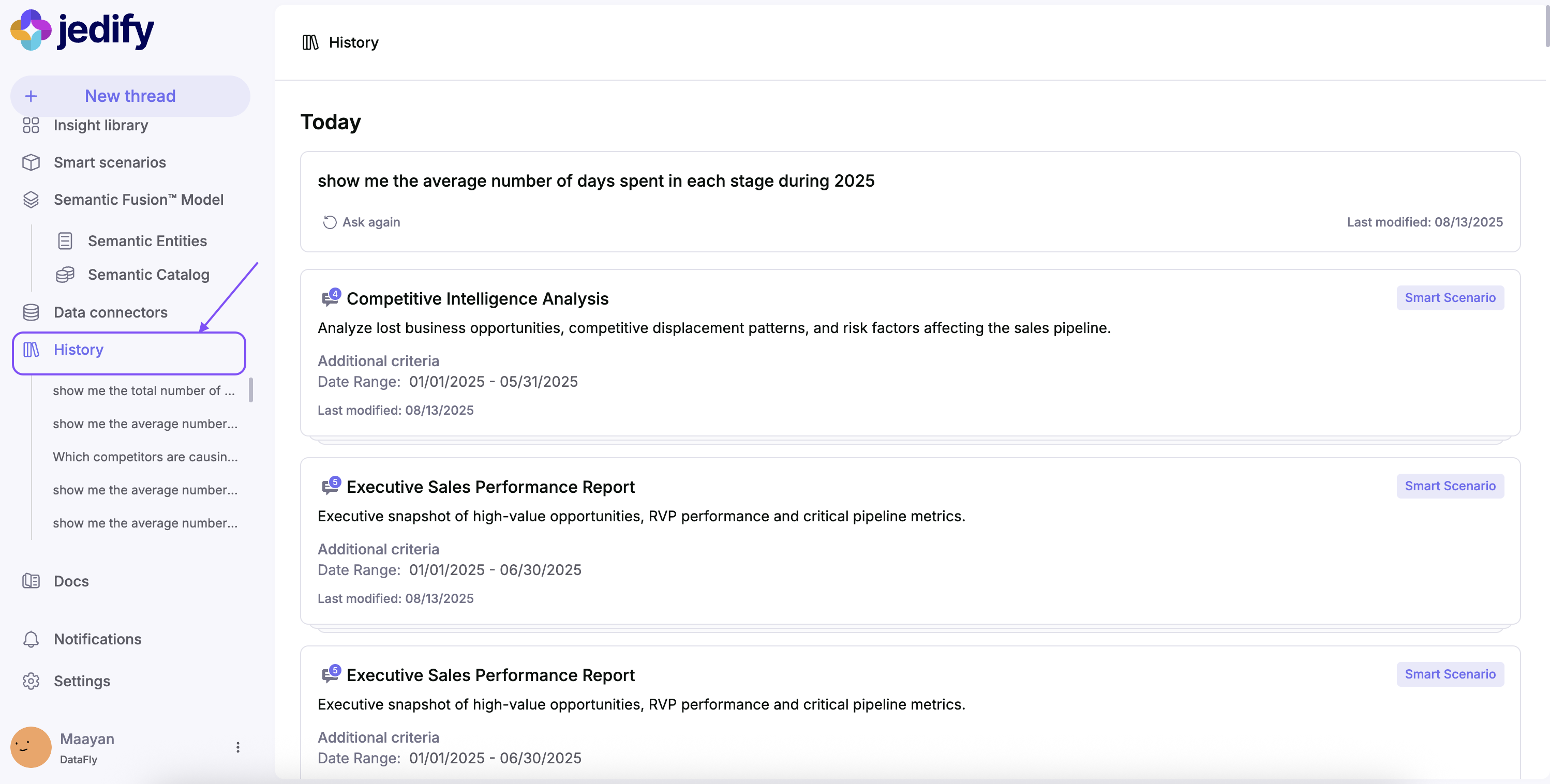
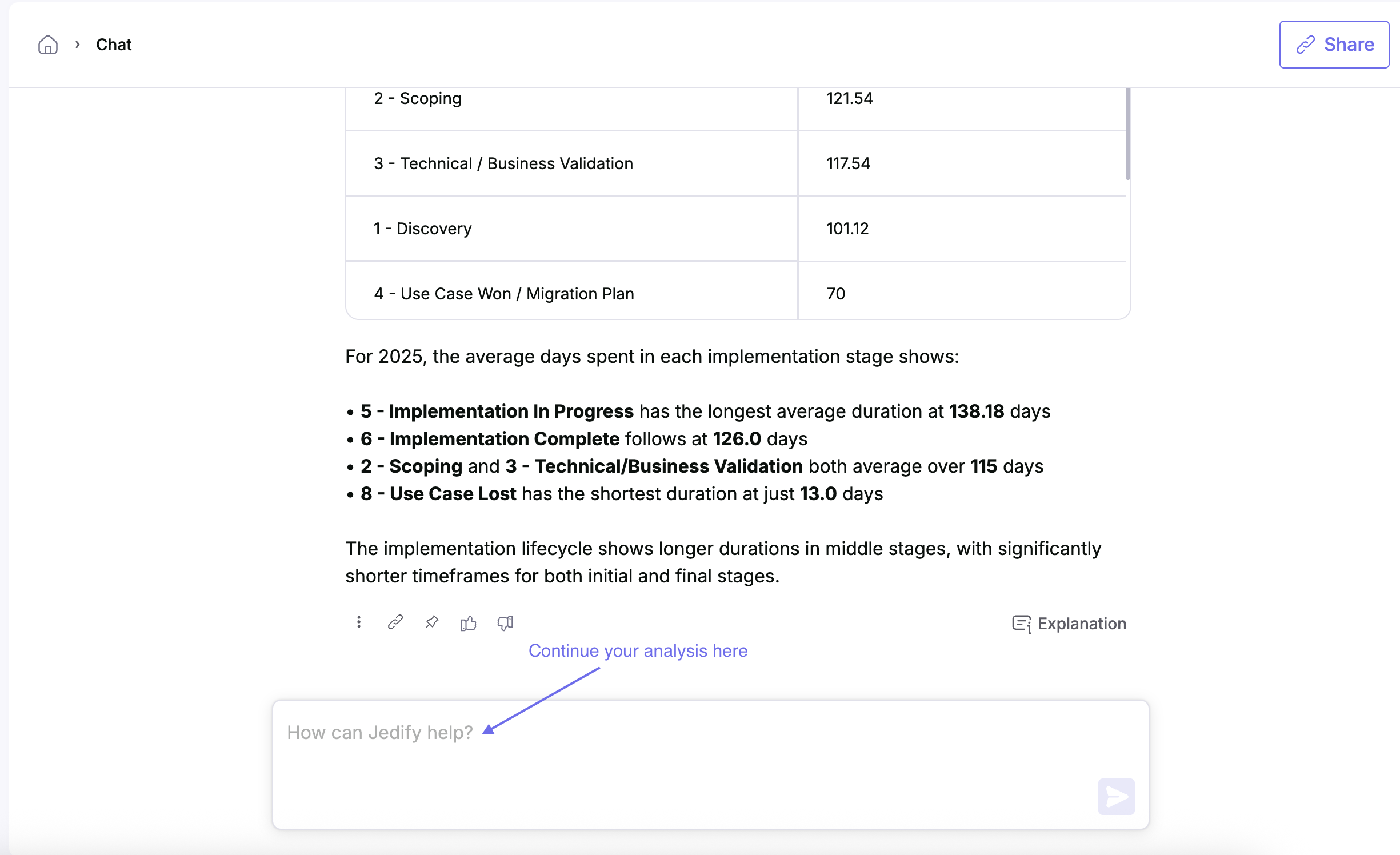
Clicking on any past thread will open it, letting you continue the conversation with new follow-up questions.
Important: Within a thread, Jedify automatically retains the context from earlier prompts - such as applied time frames or other filters - so your analysis stays consistent.
Search Your History
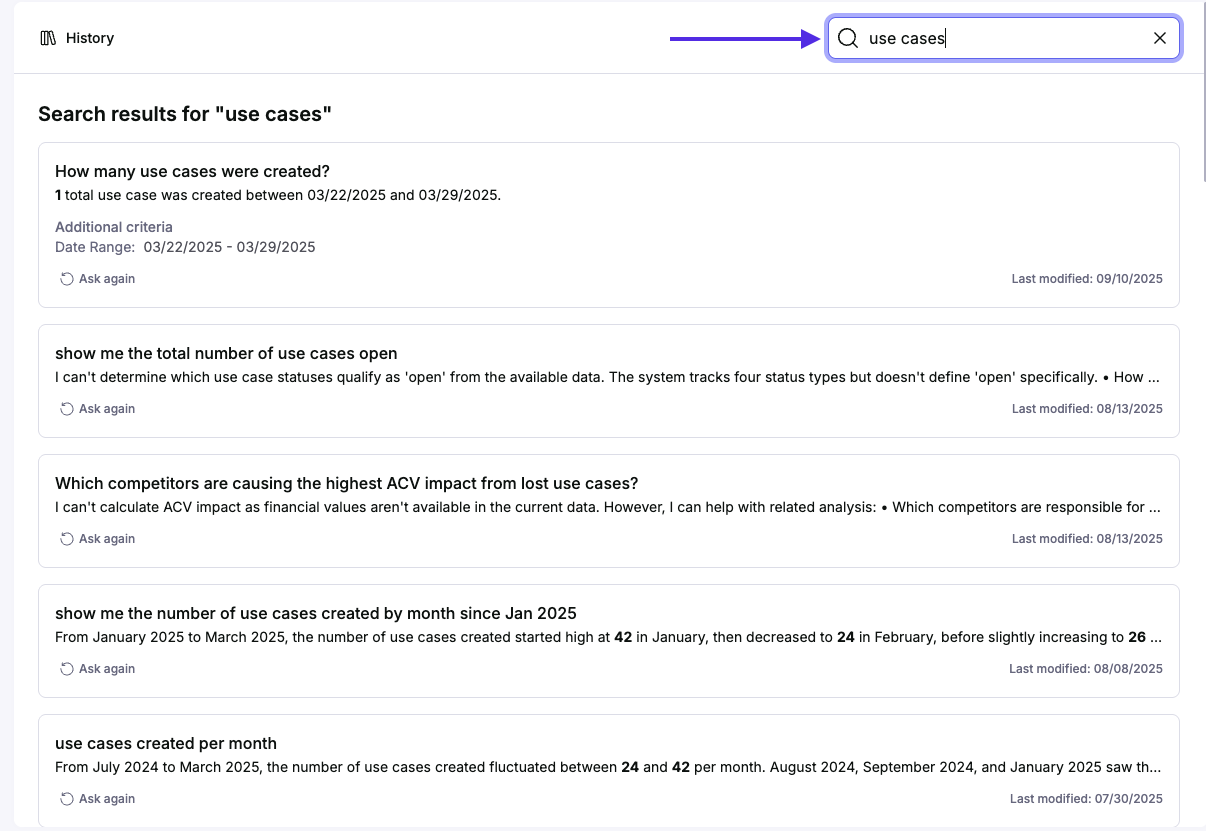
Within the history page, you can use the the search bar to search for any previously asked question by typing in a word or phrase included in the question asked.
Updated 4 months ago