
Installation
Step 1: Connect to Slack
Admin permission required - Only Jedify Admins and Slack admins can install and authorize the Slack app.
- From your Jedify account, navigate to the Integrations section
- Click on “Connect to Slack”
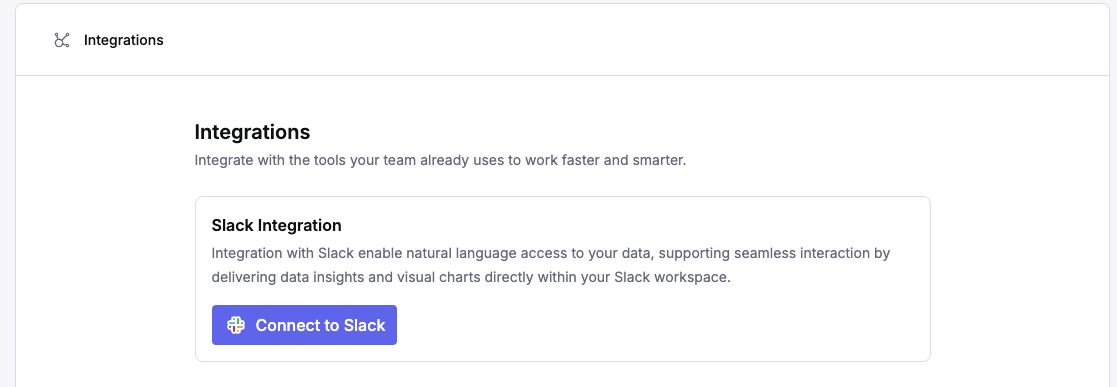
- You’ll be redirected to Slack to authorize the integration
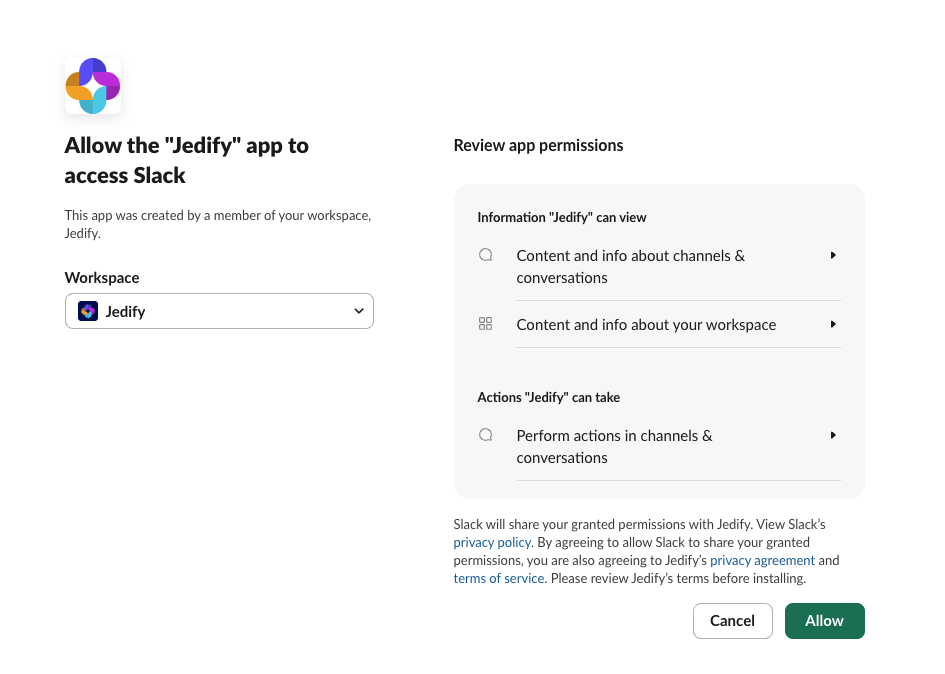
- Select your workspace from the dropdown menu
- Click “Allow” to grant the necessary permissions for Jedify to operate in your workspace
Step 2: Customize Settings
To ensure the best balance between speed, depth, and security, you can toggle the following modes:
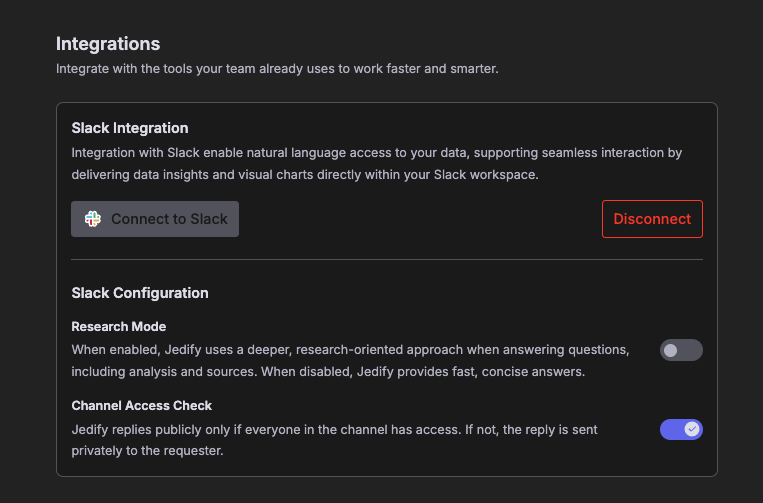
Research Mode:
When ON: Jedify performs a deeper, multi-step analysis of your data, citing specific sources and providing a comprehensive breakdown. Ideal for complex strategic questions.
When OFF: Use this for quick, "at-a-glance" answers. It’s optimized for speed and concise data points.
Channel Access Check:
When ON: If even one person in the channel lacks permission, Jedify will automatically send the response as a private message to the requester, ensuring your data remains secure. This ensures that non-Jedify users will not have visibility to responses provided by Jedify.
When OFF: There are no restrictions on viewing Jedify's responses, as long as the user who asked the question has permissions to Jedify.
Step 3: Start Using Jedify
After installation, Jedify will appear in your workspace: - Find Jedify in your Apps section (left sidebar)
The app is immediately ready to use All your existing data connections from the main platform are available
User Requirements
Individual Access
- Jedify account required: To interact with Jedify through Slack, you must have an active Jedify user account
- Email matching: Your Slack account email must match your Jedify account email
- Without a matching Jedify account, you cannot ask questions or receive responses
Data Permissions
- Least privileged access: When multiple users are in a conversation, responses are based on the most restrictive data permissions
- This ensures data security and prevents unauthorized access to sensitive information
Updated 6 days ago