

Base query
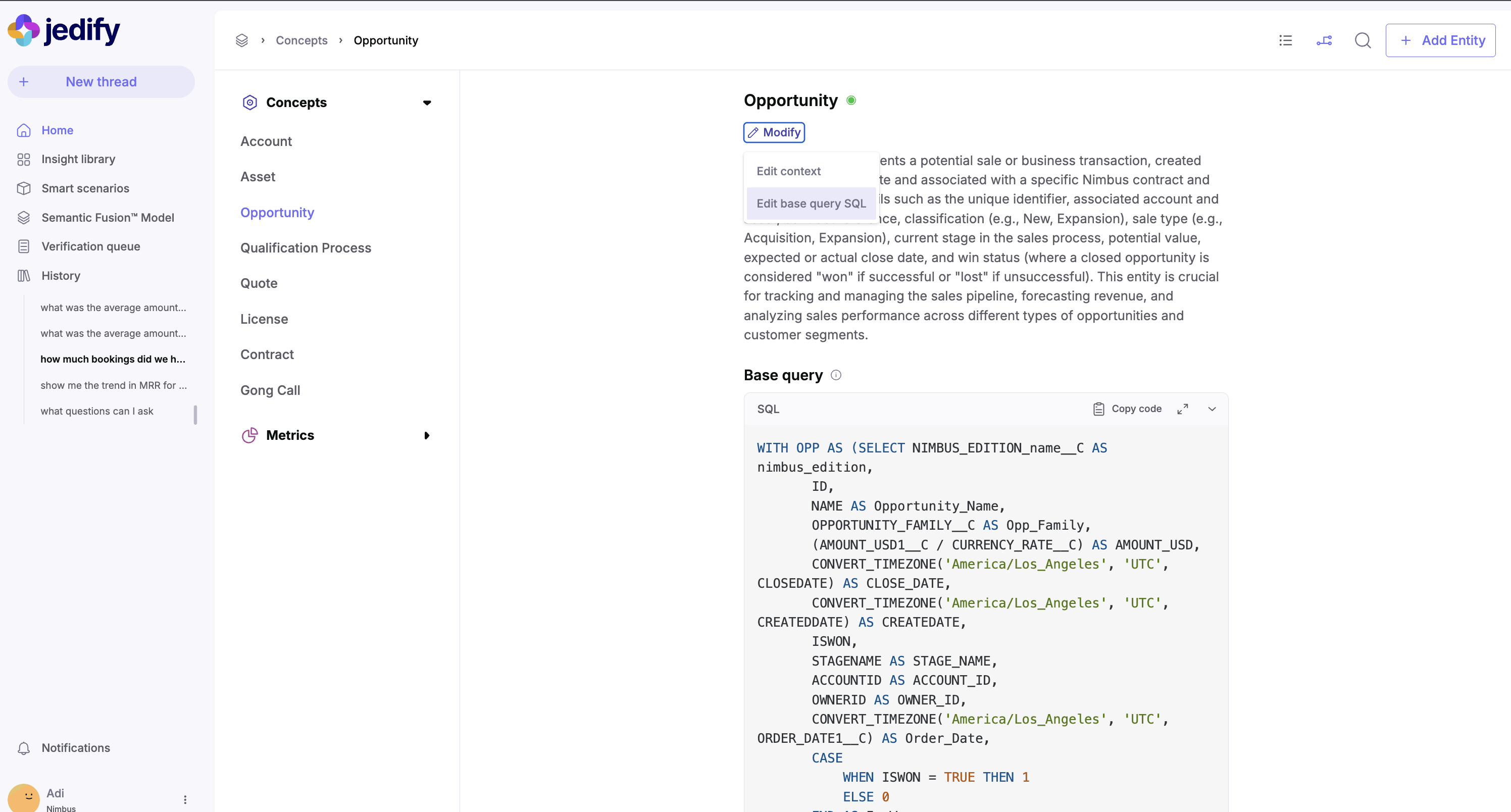
The base query defines the fundamental data scope for an entity, establishing which records are included and how they’re structured. It serves as the foundation for all attributes, dimensions, and relationships.How to modify
- Navigate to the entity in the Semantic Fusion™ Model
- Click “Modify” then select “Edit base query SQL”
- Update the SQL to correctly identify the relevant records or calculation
- Save changes and validate results
When to modify
- When the underlying data schema changes (e.g., new fields added to the Salesforce Opportunity object)
- When business definitions of what constitutes a valid opportunity change (e.g., only including opportunities above a certain threshold) or a filter that is applicable for every time this entity is used.
- When performance optimizations are needed for frequently queried data
Editing Contextual Definitions
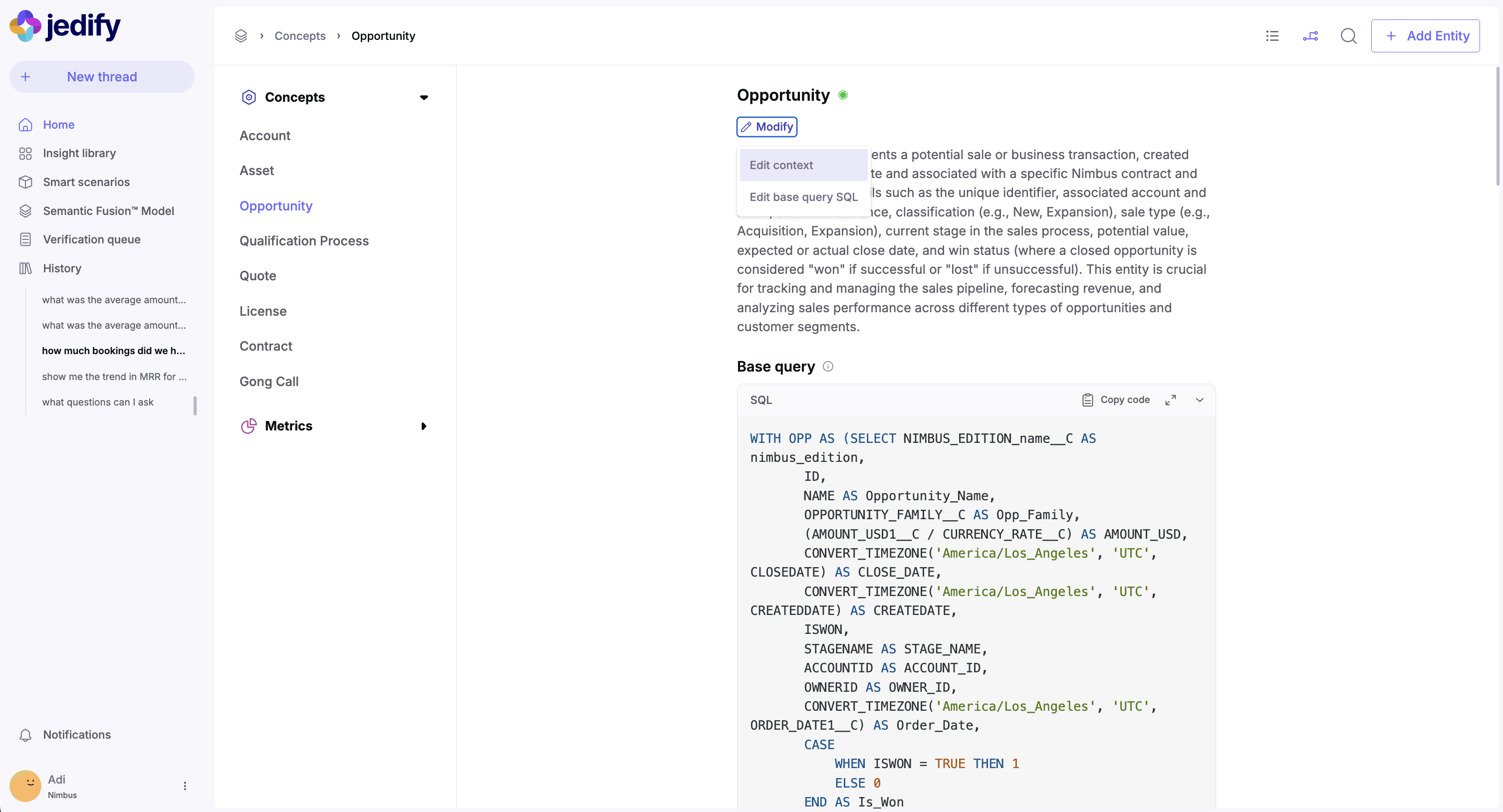
The contextual definition of an entity is crucial for the agentic flow to understand when to retrieve this entity in response to natural language questions. A rich, detailed definition helps the system correctly interpret and respond to user queries.How to modify
- Navigate to the concept (as shown in Image below)
- Click “Modify” then select “Edit context”
- Update the contextual definition with clear, business-relevant terminology
- Include synonyms and alternative phrases users might use
When to modify
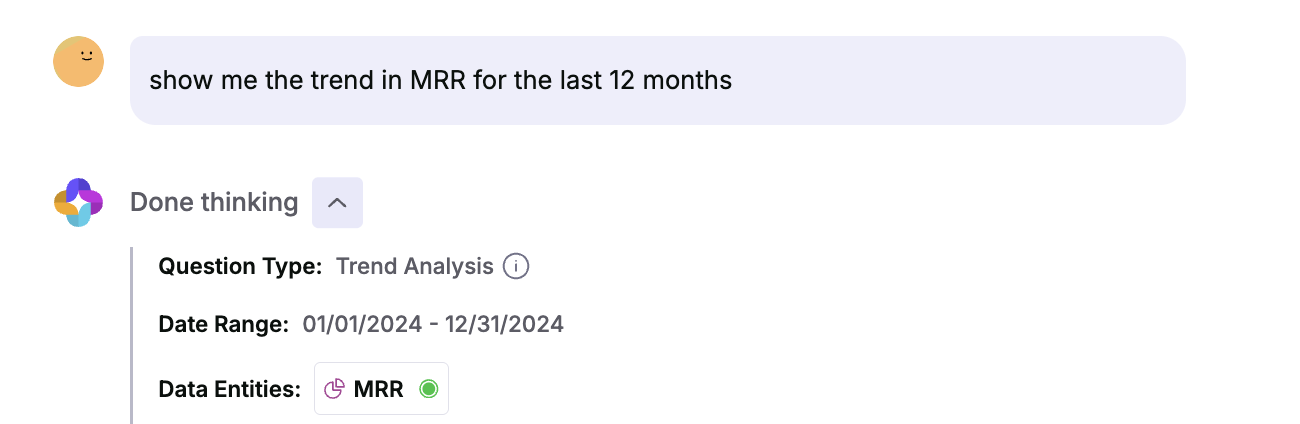
- When users frequently ask questions about a concept but the concept does not appear in the Data Entities section of the thinking
- When business terminology changes or there are synonyms used internally to reference this entity
- When additional detail is needed to distinguish between similar concepts
- When expanding the types of questions users can ask about the concept
Attributes
Attributes represent key properties of the entity that users frequently query. Each attribute has both a definition and an SQL implementation. Importantly, attributes can only reference data from the Common Table Expression (CTE) defined in the entity’s base query. They cannot access data outside this scope. An attribute can be:- A direct column selection from the base query CTE
- A simple transformation of a column from the base query CTE
- A calculated value derived from multiple columns within the base query CTE
How to modify
- To edit an existing attribute: Click the edit icon next to the attribute
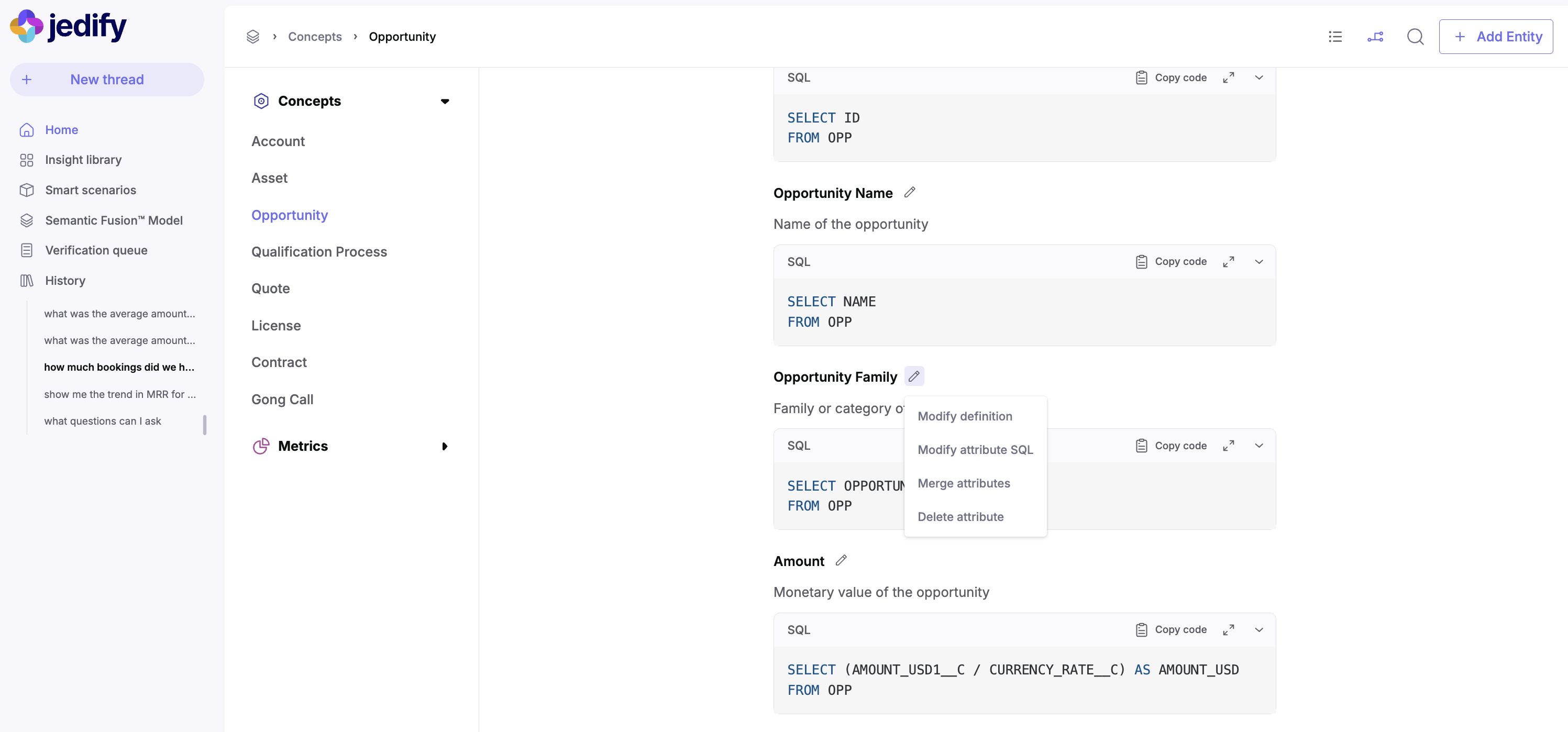
- To add a new attribute: Click “Add attribute”
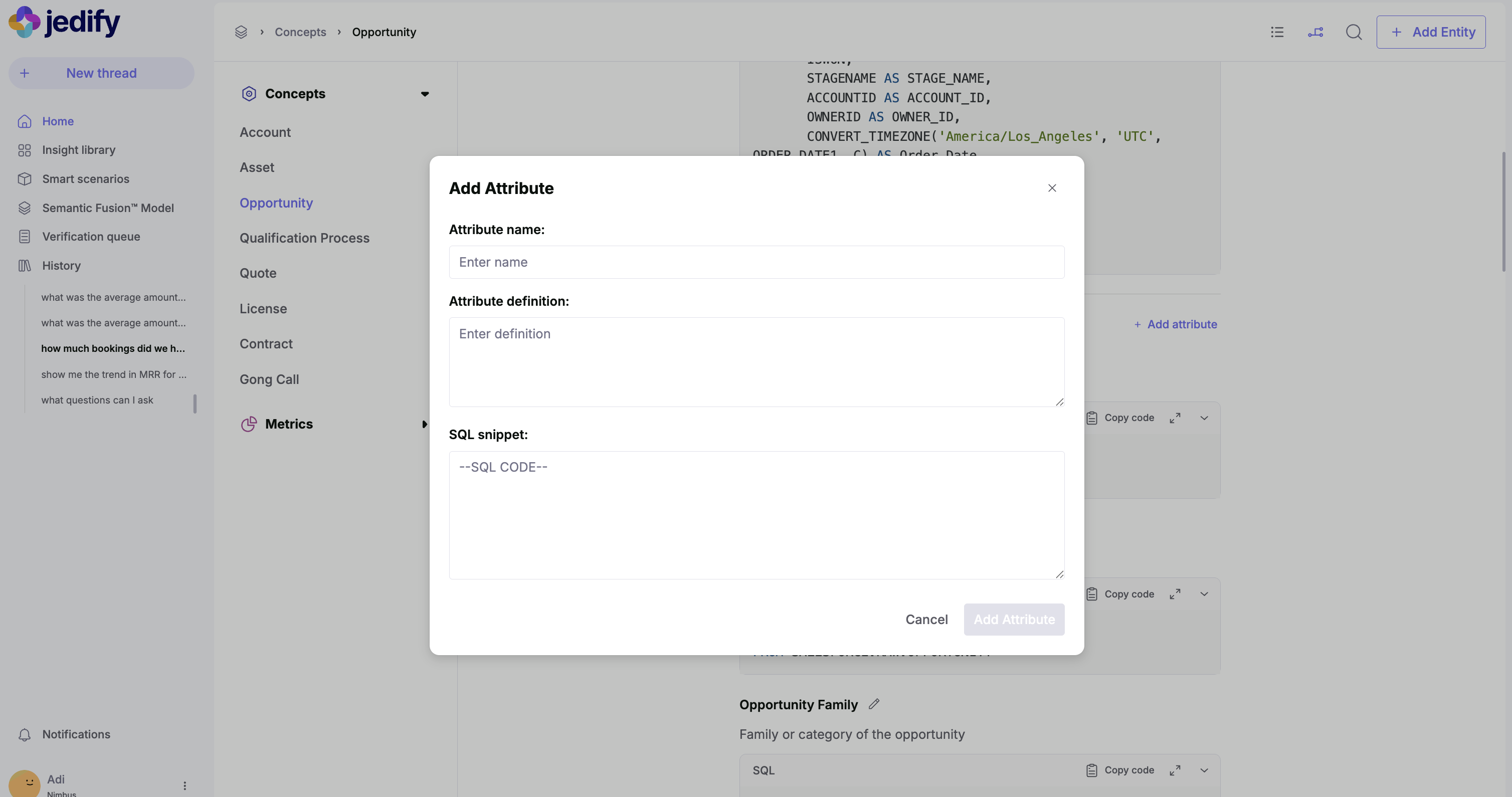
- Provide a clear attribute name and definition
- Define the SQL snippet that retrieves this attribute
When to modify
- When business users need additional information about the concept
- When existing attribute calculations need correction
- When new data fields become available
- When attribute definitions need clarification
Relations (Connections)
Relations, as shown in Image below, define how the concept connects to other entities in the semantic model. Unlike attributes and dimensions that work within a single concept’s CTE, relations establish connections between two different CTEs - the source concept’s CTE and the target concept’s CTE. Relations contain the SQL join logic needed to bridge these two data scopes, enabling questions that span multiple business entities.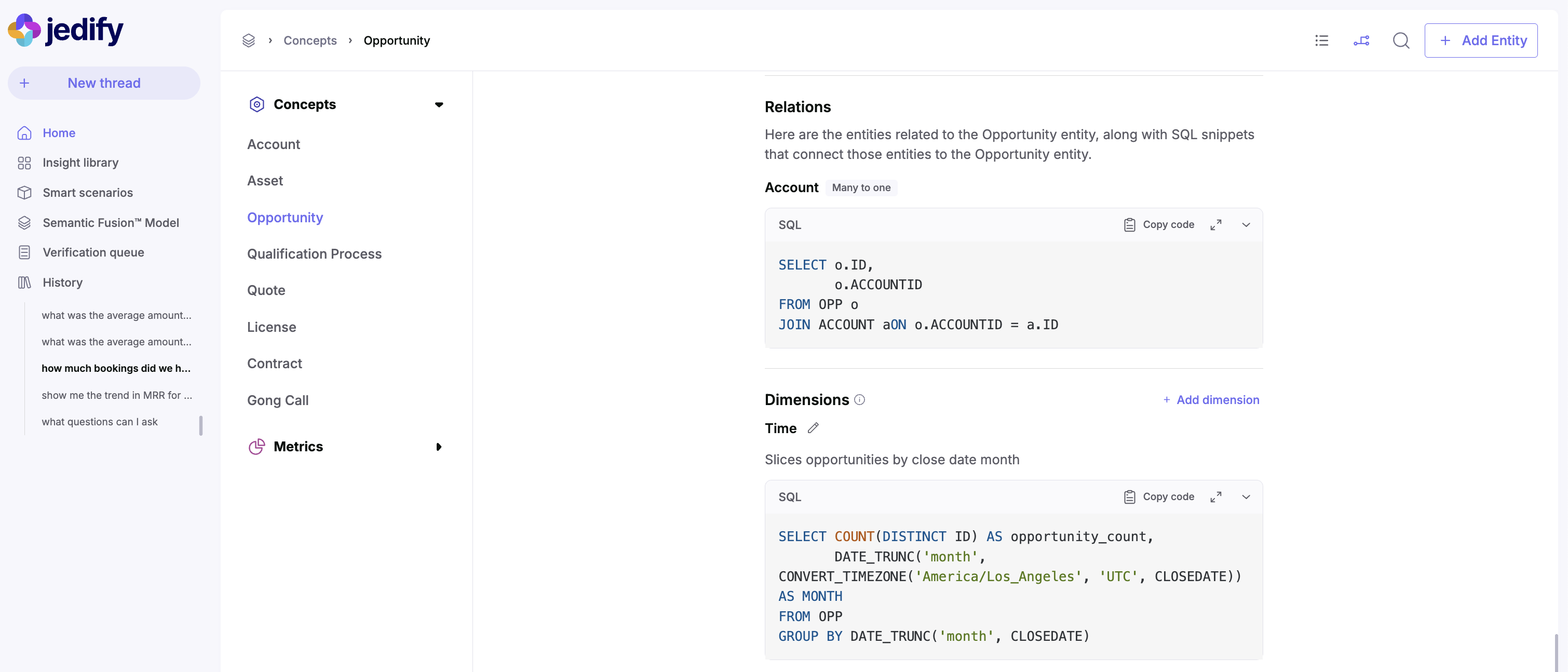
How to modify
- Navigate to the relations section
- View existing relations or add new ones
- Define the SQL that establishes the join conditions
- Document the cardinality (e.g., “Many to one” as shown for Account)
When to modify
- When creating new connections between business entities
- When join logic needs to be optimized
- When new related entities are added to the model
- When relationship cardinality changes
Dimensions
Dimensions, as shown in image below, allow opportunities to be analyzed across different categorical or temporal breakdowns. Like attributes, dimensions must work within the scope of data available in the base query CTE. However, dimensions specifically focus on grouping, categorizing, and slicing data. They typically include aggregations and GROUP BY clauses to enable analytical views of the concept data.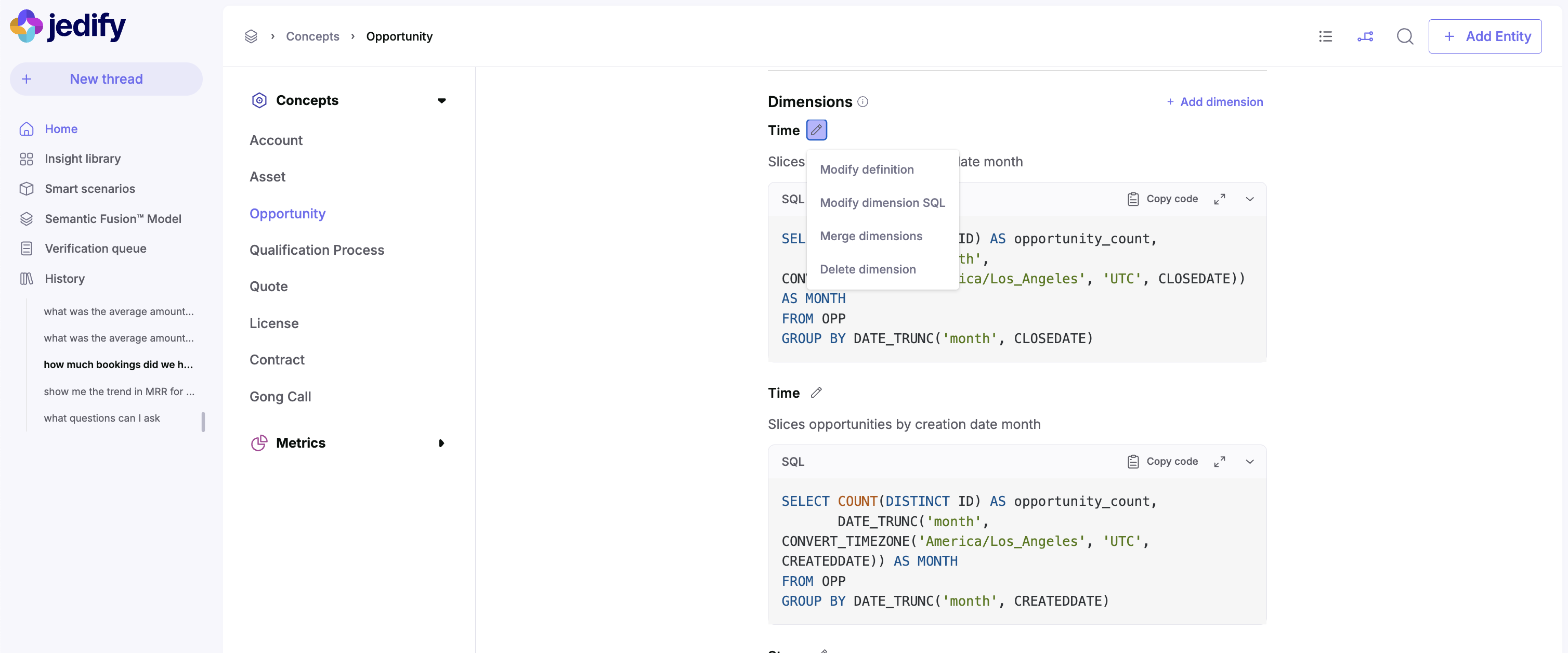
How to modify
- Navigate to the dimensions section
- Click “Add dimension” or edit an existing dimension
- Define the dimension name, definition, and SQL implementation
- Ensure the SQL includes appropriate grouping and categorization
When to modify
- When new ways of analyzing the concept are needed
- When temporal analysis requirements change
- When new categorization hierarchies emerge
- When business users request different data slicing capabilities
Linking a semantic dimension to an entity
In addition to the analytical dimensions described above, an entity can also reference semantic dimensions — reusable value vocabularies (e.g. account names, statuses, brands) that Jedify uses to ground user phrases like “Acme” or “closed-won” to the right column value. Most of this wiring happens for you:- Auto-link on create. Semantic dimensions are created from the Semantic Catalog by enabling the Grounding toggle on a column. Once created, Jedify attaches the dimension to every entity whose attributes or base query reference that same source column. No manual step required.
- Auto-link on entity edit. When you add an attribute that selects from a column that already has a semantic dimension, the link is established automatically.
- Linked columns. If the same vocabulary lives in more than one column on the entity (e.g.
operator_nameandparent_operator_name), add the sibling columns to the dimension’s linked list — see Linked columns.
How to attach manually
When auto-link doesn’t pick up a column — typically because the attribute uses a transformation, alias, or calculated expression that hides the source — you can attach the dimension yourself:- Open the entity in the Semantic Fusion™ Model
- Find the attribute whose values should be grounded by the dimension
- Click Modify then select Link semantic dimension
- Pick the dimension from the list and save
When to attach manually
- The attribute is a calculated or transformed expression and Jedify couldn’t infer the underlying column
- You want a different dimension to ground this attribute than the one Jedify auto-selected
- The column was added or renamed after the dimension was created — re-run the semantic build for the table, then verify the link