

MCP tools by role
MCP tools load by role
Your agent’s Jedify tools now follow your role, not a configuration file. Sign in and the server returns what your role allows:This applies to every way of connecting, the Jedify connector in Claude included - Editor and Builder tools are no longer connector-only or proxy-only. If you kept a
REMOTE_MCP_URL with ?mode=editor or ?mode=builder in an MCP config, you can drop it; keep it only to deliberately restrict a client to one mode, which can narrow your role’s tools but never extend them. API keys are unchanged: a key created in the app still runs in Asker mode unless the server URL selects another.See Which modes you get.Model Versioning (Beta)
Model Versioning
Your Semantic Fusion™ model is now Git-managed. Every edit lands on a branch you can preview and review before it reaches main, and any version published in the last 90 days can be restored - all from inside Jedify.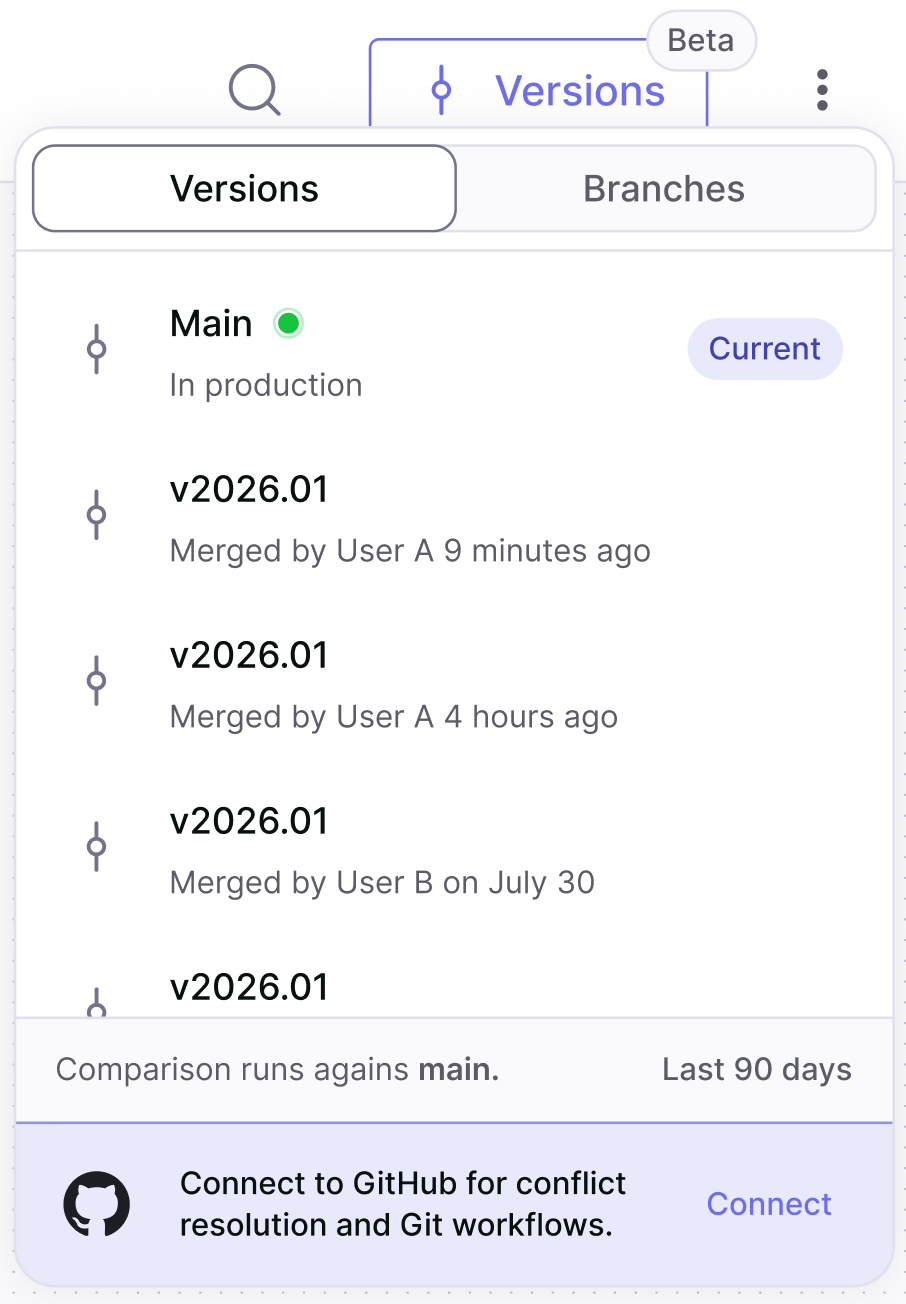
- Review - compare a branch to main with a side-by-side YAML diff, then merge or decline it.
- Roll back - restore any version from the last 90 days. Restoring publishes a new version matching the one you picked.
- Compare - while previewing a branch or an earlier version, any node offers a Compare to main view.
- Audit - see who pushed each branch and who merged each change into main, with timestamps.
Jedify connector for Claude
Jedify connector for Claude
Jedify is now a connector in Claude - no local install or configuration file needed for Asker mode. Find it in the connector directory, click Connect, and sign in with your Jedify login; on Claude Team and Enterprise, a workspace admin can enable it once for the whole organization.The connector runs in Asker mode. Editor and Builder mode, and API-key authentication, continue to use the@jedify/mcp-auth local proxy. If you were running the proxy for Asker mode, you can remove that entry and use the connector instead.See Connect to get started.@jedify/mcp-auth v1.1.0
API key authentication for MCP
You can now authenticate the Jedify MCP proxy with an API key instead of the browser-based login.Set theJEDIFY_API_KEY environment variable in your MCP configuration and the proxy skips the browser login, authenticating every request with the key - ideal for headless machines, shared environments, and automated/CI setups.JEDIFY_API_KEY is not set, the proxy falls back to the standard browser login.See the Authentication guide for details.