Overview
The IdP Groups section is located under the Settings sidebar menu. Use this interface to create, manage, and prioritize how external group memberships translate into internal system access.Adding a New Group Mapping
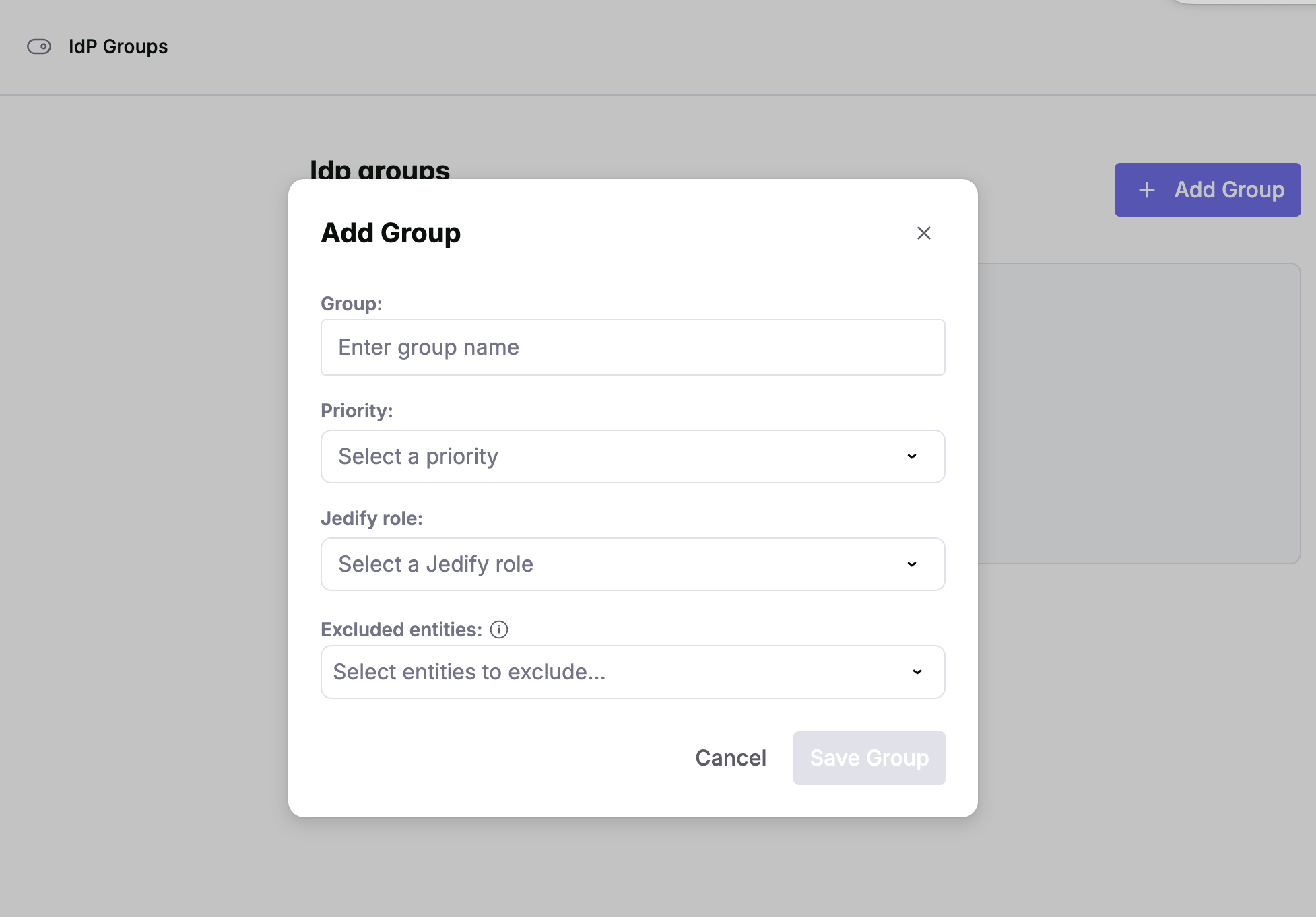
To create a new mapping, click the + Add Group button in the top right corner. A modal will appear with the following fields:| Field | Description |
|---|---|
| Group | Enter the exact name of the group as it appears in your Identity Provider (e.g., Engineering-Team or Admins). |
| Priority | Select a priority level. If a user belongs to multiple IdP groups, the mapping with the highest priority will determine their final role. |
| Jedify Role | Choose the internal role you wish to assign to members of this group. |
| Excluded Entities | Select specific entities that should be exempt from this group’s permissions. |
