> ## Documentation Index
> Fetch the complete documentation index at: https://docs.jedify.com/llms.txt
> Use this file to discover all available pages before exploring further.
# Jedify for Looker
## Bring Jedify Inside Your Looker Dashboards
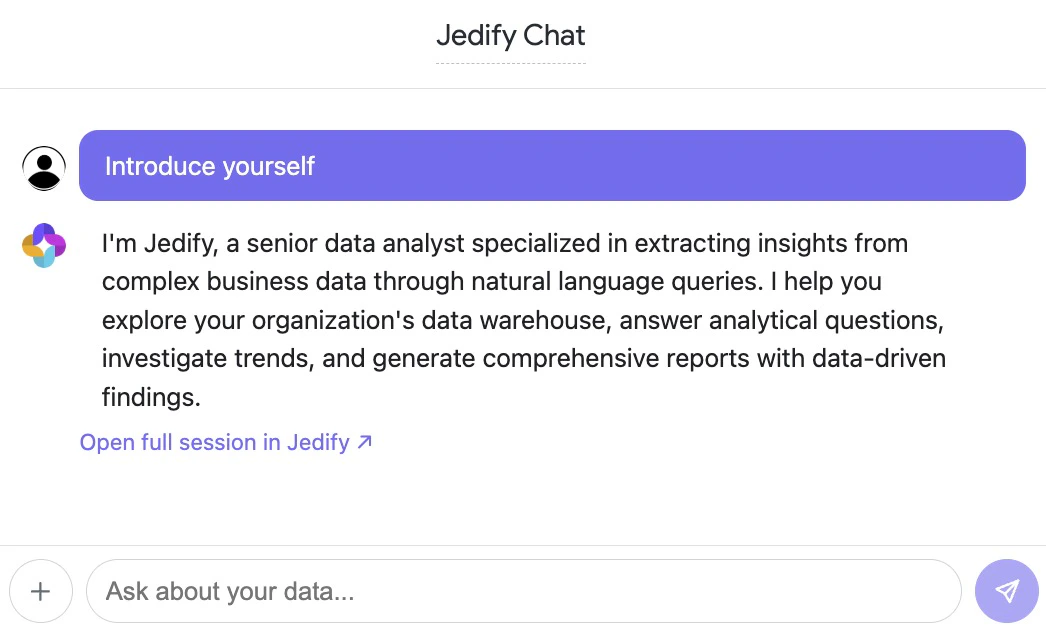
Jedify integrates directly into Google Looker as a native extension. Ask natural language questions about your data without leaving your dashboard — Jedify automatically understands your dashboard context, including active filters, tile queries, and live data.
 ### Two Ways to Use It
Embed Jedify as a chat tile inside any Looker dashboard. Ask questions in the context of the dashboard you're viewing.
Access Jedify as a full-page application from Looker's Applications menu for a more spacious chat experience.
{/*
### Two Ways to Use It
Embed Jedify as a chat tile inside any Looker dashboard. Ask questions in the context of the dashboard you're viewing.
Access Jedify as a full-page application from Looker's Applications menu for a more spacious chat experience.
{/* */}
### What Makes It Powerful
* **Dashboard-Aware**: Every question is automatically enriched with your dashboard's filters, tile queries, SQL, and live data
* **Deep Research**: Uses Jedify's Research Agent for multi-step analysis — the same engine behind the main platform
* **Persistent Sessions**: Your conversation history is preserved across page reloads, scoped per dashboard
* **Shareable Results**: Every answer includes a link to view the full research session in Jedify
*/}
### What Makes It Powerful
* **Dashboard-Aware**: Every question is automatically enriched with your dashboard's filters, tile queries, SQL, and live data
* **Deep Research**: Uses Jedify's Research Agent for multi-step analysis — the same engine behind the main platform
* **Persistent Sessions**: Your conversation history is preserved across page reloads, scoped per dashboard
* **Shareable Results**: Every answer includes a link to view the full research session in Jedify